Google Ads Advertiser Verification: Documents, Rejections, and Fixes
Find the verification task that applies to your account. Match the requested identity details to valid documents and investigate specific rejection reasons.
Prepare for the task shown in your account. Google Ads verification does not use one universal document package. Start with the requested task, deadline, account type, and country.
The official advertiser verification overview explains the programme. You can check verification under Admin, Policy, Account. Requirements vary by advertiser. Completing verification does not itself resolve a separate policy suspension.
Identify the type of verification
| Task | What to organise |
|---|---|
| Identity or organisation details | The requested legal identity, representative, and accepted supporting documents. |
| Business operations questions | An explanation of who sells, fulfils, bills, and advertises. See the business operations guide. |
| A sector-specific requirement | The exact certification or authorisation named in the notice. Check its separate requirements. |
| A verification task blocking an appeal | The task status, previous responses, and any unavailable controls. Use the blocked appeal guide. |
Use this table to assign the work. The person who manages campaigns may need help from the company owner or payments administrator. Identify who can confirm each answer before starting the form.
Financial-services advertisers should also read our EEA financial-services verification guide. A standard identity submission does not replace a separate sector requirement.
Check account type before collecting documents
Open Google's document requirements and select the applicable country. The accepted evidence and representative requirements depend on the task and account type. If the account type is wrong, follow Google's contact guidance before verification.
Create a preparation sheet with four columns: requested field, current value, supporting record, and unresolved question. Copy values carefully. Do not assume a company logo establishes its legal name.
- Record the legal entity and the brand separately.
- Check which organisation owns the payments profile.
- Identify the representative required for the task.
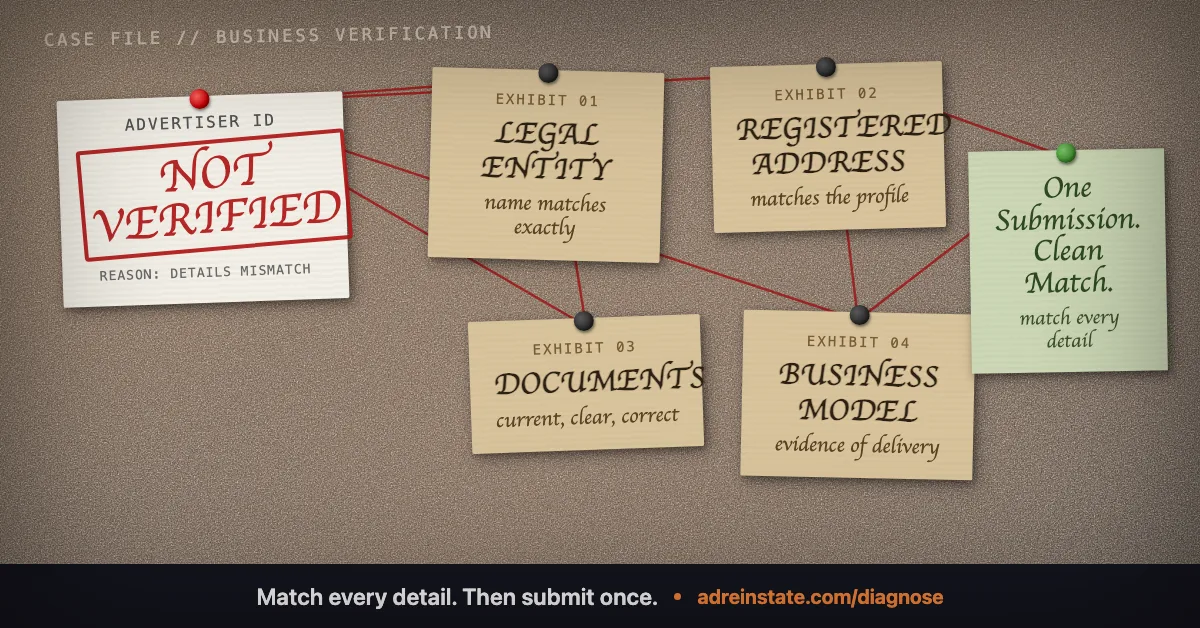
- Compare the requested address with the relevant supporting record.
- Note any recent change of legal name, ownership, or business location.
An apparent mismatch can reflect two legitimate roles. The billing organisation, advertising agency, and advertised business may differ. Explain their relationship where requested instead of rewriting records to make them artificially identical.
Prepare files against the actual upload instructions
Use Google's document troubleshooting table for reason-specific checks. It covers issues such as unclear images, missing corners, unsupported documents, and mismatched information.
For your own quality check, open each proposed file before uploading it. Confirm that it belongs to the correct organisation or person. Verify that the required details remain readable at normal viewing size.
Use the format and document version requested by the task. Do not alter a document to make it match an incorrect account field. Correct the underlying record through the proper route.
Keep a local submission log. Record the file name, document type, submission date, and task it supports. This helps you identify what changed if Google asks for another submission.
Fictional worked example: a trading brand and a limited company
This example is fictional. Harbour Cycle Ltd operates the online brand Wheelroom. Its owner starts an organisation verification task using the trading brand in a field requesting the legal organisation name.
The owner compares the field with the company record before trying again.
| Record | Observed value | Preparation action |
|---|---|---|
| Company registration | Harbour Cycle Ltd | Use the exact legal name where the task requests it. |
| Website brand | Wheelroom | Explain that Harbour Cycle Ltd operates the brand. |
| Payments profile | Harbour Cycle Ltd, previous address | Investigate the address record before submitting evidence. |
| Verification form draft | Wheelroom entered as legal organisation | Correct the draft to answer the field accurately. |
| Representative | The owner manages billing; an agency manages campaigns. | Check which administrator must complete the requested task. |
The brand remains Wheelroom. The preparation work explains the legal relationship and resolves the incorrect field. It does not require every visible label to contain the same text.
If the address field cannot be edited, the owner records the restriction and uses the available support route. The owner does not upload a modified registration document. This example ends before Google makes a decision.
Respond to the specific rejection
Read the rejection alongside the saved submission. Write one sentence stating the discrepancy it identifies. Then list the record, field, or explanation that needs attention.
A rejected identity image calls for a different investigation from unclear business relationships. Avoid sending the same files with a longer cover note when the underlying defect remains.
If the response is unclear, save the full message and task status. Describe the uncertainty precisely when contacting support. “The task requests an organisation document, but only an individual upload field appears” is more useful than “verification is broken”.
Do not treat another advertiser's attempt count or waiting time as your entitlement. Follow the limit, deadline, and next action shown for your task.
For preparation help, see our Google Ads verification support. A diagnosis can help separate a verification problem from an account policy restriction.
Frequently asked questions
Must my trading brand be identical to the registered company name?
A brand and legal entity can have different names. Use the name required by each field and explain the relationship accurately. Do not replace a required legal name with a trading brand.
Which documents should I upload?
Use the accepted documents shown for your task, country, and account type. Check the official document list before preparing files. An example from another country may not apply.
Does successful verification remove an existing suspension?
Treat verification and suspension as separate decisions. After a task completes, check the account status and any remaining appeal requirement.
Should I change the account country to match a document?
Do not enter an inaccurate country to force a match. Record the discrepancy and follow the support route for the affected account or payments profile.
Still narrowing down what triggered your suspension? Read the plain answers to common questions , or see how our reinstatement services map to each violation type.
Not sure which suspension you have?
Start with a free diagnosis. We identify the likely trigger and tell you honestly whether we can fix it, before you spend anything.