Merchant Center Misrepresentation: Store and Evidence Checklist
Check business identity, product offers, delivery, and returns against the real customer experience. Record each correction before requesting review.
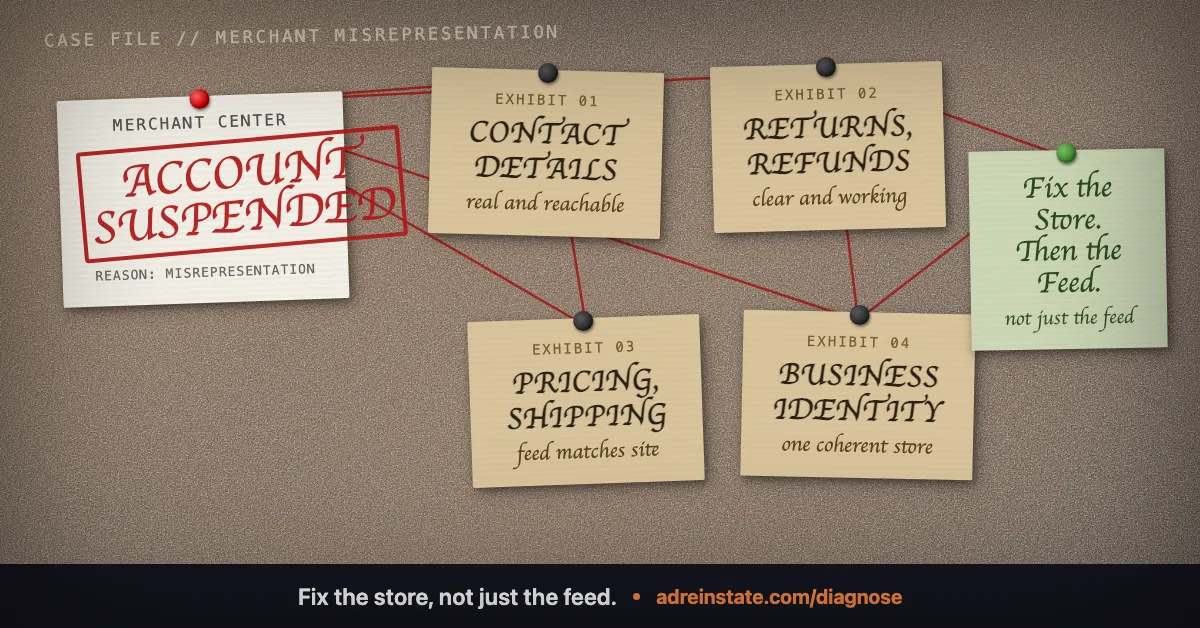
Audit what customers are told and what actually happens. A Merchant Center Misrepresentation review needs more than a polished policy page. Check the business identity, offer, purchase process, and fulfilment records together.
Google's Shopping ads Misrepresentation policy covers deceptive business practices, misleading claims, unavailable offers, and omitted information. Serious violations can result in immediate suspension. Do not assume the label means a minor error that a checklist will always resolve.
1. Identify the business and any claimed affiliation
List every name a customer encounters: brand, legal operator, payment description, support contact, and returns recipient. Explain legitimate differences. Investigate names that refer to a former operator or unrelated business.
Google's customer trust guidance recommends clear business identity, transparent policies, and a functional website. Use that guidance alongside the actual policy notice.
- Check the company and contact pages for current details.
- Confirm that contact methods reach the team responsible for customer support.
- Find claims such as “official”, “authorised”, or “manufacturer approved”.
- Identify the evidence supporting each affiliation claim.
- Remove unsupported badges, invented reviews, and inaccurate partner descriptions.
A trading name can differ from a legal company name. The relationship should be understandable. Do not copy another store's identity details to make your pages look complete.
2. Follow the exact product offer
Begin with the item and URL shown in Merchant Center. Record the selected variant, quantity, price, currency, availability, and any purchase condition.
Check three records together: the submitted product data, the visible page, and the page's structured product data. Google's price mismatch guidance explains this comparison.
Then continue to checkout. Look for a different variant, expired promotion, added compulsory charge, or delivery restriction that changes the offer. Capture the discrepancy before correcting its source.
If an item is unavailable, investigate the inventory connection and published availability. Do not assume deleting the entire catalogue resolves an account-level concern.
3. Test delivery information against operations
Ask the fulfilment owner to confirm what the store can deliver, where, and under which conditions. Compare that answer with product pages, delivery information, checkout, and Merchant Center settings.
Use a test address for each delivery region you are investigating. Record the charge and delivery estimate displayed. Stop before placing an order unless you have authorised a controlled test purchase.
Check recent operational records as well. A page promising dispatch tomorrow is not supported by a warehouse process that routinely cannot meet that promise. Correct the promise or the operation, and document the completed change.
4. Make returns understandable and workable
Google provides return policy setup guidance for Shopping ads and free listings. It calls for clear, accessible return and refund information on the website.
For your audit, trace a customer request from contact to resolution. Identify who receives it, which conditions apply, and how the customer learns the next step.
- Compare the return window across the product page, policy page, and account settings.
- Check who pays return shipping and whether the stated process matches reality.
- Verify the destination and instructions used by the support team.
- Review any exclusions for the actual products you sell.
- Check that refund wording matches the process the business operates.
Do not copy a competitor's terms. Write accurate terms for your operation and check any applicable local requirements separately.
Fictional worked example: four conflicting records
This example is fictional. Moorlight Living sells a table lamp. The operator finds several differences during a review preparation check.
| Record | Before | Completed correction and evidence |
|---|---|---|
| Product data source | £39.00, based on an expired promotion. | Update the export to £45.00 and save the processed item record. |
| Product page | £45.00, with a banner promising free delivery. | Publish the actual delivery conditions beside the offer and capture the page. |
| Checkout | £4.95 delivery to the tested address. | Keep the valid charge and align the earlier delivery statement. Save the address-specific checkout result. |
| Returns page | 14 days, while the support team uses the store's 30-day policy. | Confirm the real policy, update the page and settings, and record a process check. |
The listed prices, delivery charge, and return window are invented for this example. They are not recommended terms for other stores.
The operator checks other products affected by the same export and page templates. Each completed correction receives a date and evidence reference. Remaining checks stay open. The example does not claim that these changes secure reinstatement.
Prepare the review from the completed audit
Read the account's issue details again. Connect each relevant finding to the actual policy concern. If you disagree with the finding, explain the evidence supporting that position.
Use our Merchant Center recovery guide to separate product errors from account restrictions. If a control is missing or disabled, consult the review unavailable guide.
Keep the review summary concise. Describe the affected records, completed actions, dates, and supporting locations. Do not state that all issues are resolved merely because the visible pages now look consistent.
Our Merchant Center recovery service can help investigate the store and prepare the evidence. Start with a diagnosis if the notice remains unclear.
Frequently asked questions
Does Misrepresentation always mean a minor website inconsistency?
No. The policy includes serious deceptive practices as well as misleading offers or missing information. Investigate the actual notice and policy rather than assuming the problem is cosmetic.
Does adding contact and returns pages guarantee reinstatement?
No. The pages must describe a real, working customer experience. Their presence does not establish that every policy concern is resolved.
Should I remove every out-of-stock product?
Do not treat deletion as a universal fix. Check the issue and submit accurate availability for the actual offer. Also confirm what the landing page and checkout allow.
How should I document a correction?
Record the affected URL or item, previous discrepancy, completed action, date, and evidence. Keep unfinished checks visible in the same record.
Still narrowing down what triggered your suspension? Read the plain answers to common questions , or see how our reinstatement services map to each violation type.
Not sure which suspension you have?
Start with a free diagnosis. We identify the likely trigger and tell you honestly whether we can fix it, before you spend anything.